Article and photos by Josef Steyn
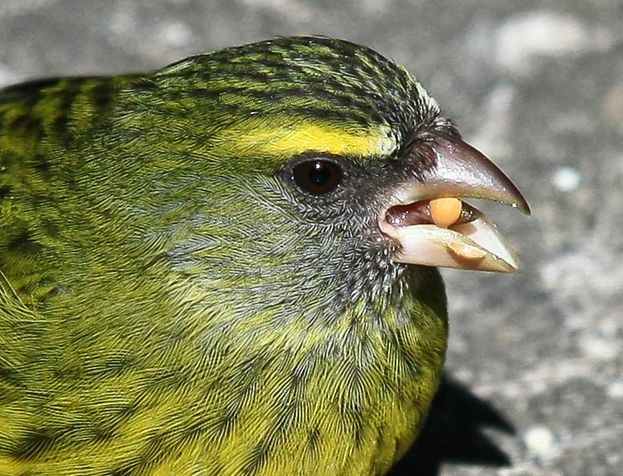
Use a tripod
One thing is certain, using a tripod correctly will give you sharper photos than without it. The emphasis is on ‘correctly’. Keep the following in mind:
Use a sturdy tripod able to easily carry the camera and lens you are using. The slower the shutter speed the higher the need to use a tripod.
Make sure the tripod legs are at its widest and positioned on a firm surface. If the surface on which it is positioned is unstable (i.e sand or a lawn) the tripod will not help at all.
Use the leg extensions at the lowest possible position. The longer the extension, the less stable the tripod becomes.
Never extend the center column if you require maximum sharpness. With the center column extended to its maximum length the stability of the tripod decreases tremendously. In such a situation you are in effect using a three-legged monopod. The instability also places your equipment in danger because the center of gravity is now very high and the whole system may easily topple over.
Using a tripod in windy conditions may require you to lower the center of gravity by hanging a weight (i.e. a stone attached to the camera strap) from the center of the tripod. The stronger the wind the heavier the weight required.)
Keep the camera strap from swinging around. Under even normal conditions a camera strap swinging around may upset the sharpness you require.
Use a bean bag or some other support
If the use of a tripod is not possible use a bean bag on a solid support or lean yourself against something sturdy. This will only be of use at fairly fast shutter speeds.
Use manual focus
When shooting macro, especially if the lens is very close to the subject, auto focus is not as effective as it is in other conditions. Manual focus, using the 10X magnification will mostly deliver a sharper image.
Use your lens’ sharpest aperture.
Lenses usually have a “sweet spot” at which they deliver their sharpest images. This “sweet spot” is usually, but not always, a few stops from the widest aperture. For most lenses, the sharpest apertures will probably be around f8 to f13
It is of course not always possible to shoot at these apertures, i.e. when you wish to blur the background and f/2.8 is the only aperture that will deliver the shot you want or when the light is dim etc., but if you have the choice, shoot at the lens’ sharpest aperture.
Practical tip:
If you do not know which aperture is your lens’ sweet spot, you can determine it by doing the following experiment:
Install your camera on a sturdy tripod on a solid surface where there will be no possibility of movement and where the light is good. Set up an object with lots of fine detail. Focus the lens on a part of the object with the most detail. (Either auto focus or manual focus). Select the lens’ widest aperture. (i.e. f/2.8). Take the shot. Without changing anything, take the next shot at the next f-stop. Repeat this procedure for all the apertures of your lens. After downloading the images on your computer, evaluate them critically at high magnification for detail and sharpness. If your lens has a sweet spot, you will probably be able to pick it out.
Don’t press the shutter with your finger – use an electronic cable release or an infrared remote.
When you press the shutter release button with your finger, it makes the camera move just that tiny little bit, preventing the image from being really sharp. Using a remote release eliminates this tiny movement and will move you some way along the way to getting tack sharp photos. This becomes especially important when shooting macro or when shooting with a long lens where any movement is hugely amplified. This precaution is especially important for midrange shutter speeds. (i.e.1/30th to 1/150 sec). At very slow or very high shutter speeds the effect is less but using a remote to trigger the shutter is always a good habit to employ.
If you do not have a remote release and circumstances allow it, you can still obtain the same result by using the camera’s built-in timer. Set your camera on a 2, or 10 seconds delay, whichever is allowed by your camera and suit the circumstances. Set up the shot and press the button. During the delay all movement caused by pressing the button would have subsided and the shutter will be released without you touching the camera.
Shooting super sharp photos: Lock the mirror!
DSLR cameras (with the exception of some of the newer models of some manufacturers) have a mirror which reflects some light to the viewfinder enabling the photographer to see the scene as it is to be photographed and to compose the shot correctly. When you press the shutter this mirror must first be removed or else the light reflected off your subject will not reach the sensor. This process of moving the mirror out of the way causes a tiny bit of movement or vibration to the camera which in its turn will affect the sharpness of the photo. Under normal circumstances removing the mirror and opening the shutter is one operation. By enabling the “Mirror Lock-Up mode” (Canon) or “Exposure Delay” (Nikon), the mirror is moved out of the way before the shutter is released, thereby eliminating any possible camera shake caused by the removal of the mirror. For Canon cameras this means that you will have to press the shutter button twice. (Only once for Nikon).


Read more about Digital Photography

Read more about Composition in Photography

Leave a Reply